City Hacks · Challenge 2
Student AI Intake → Work Order
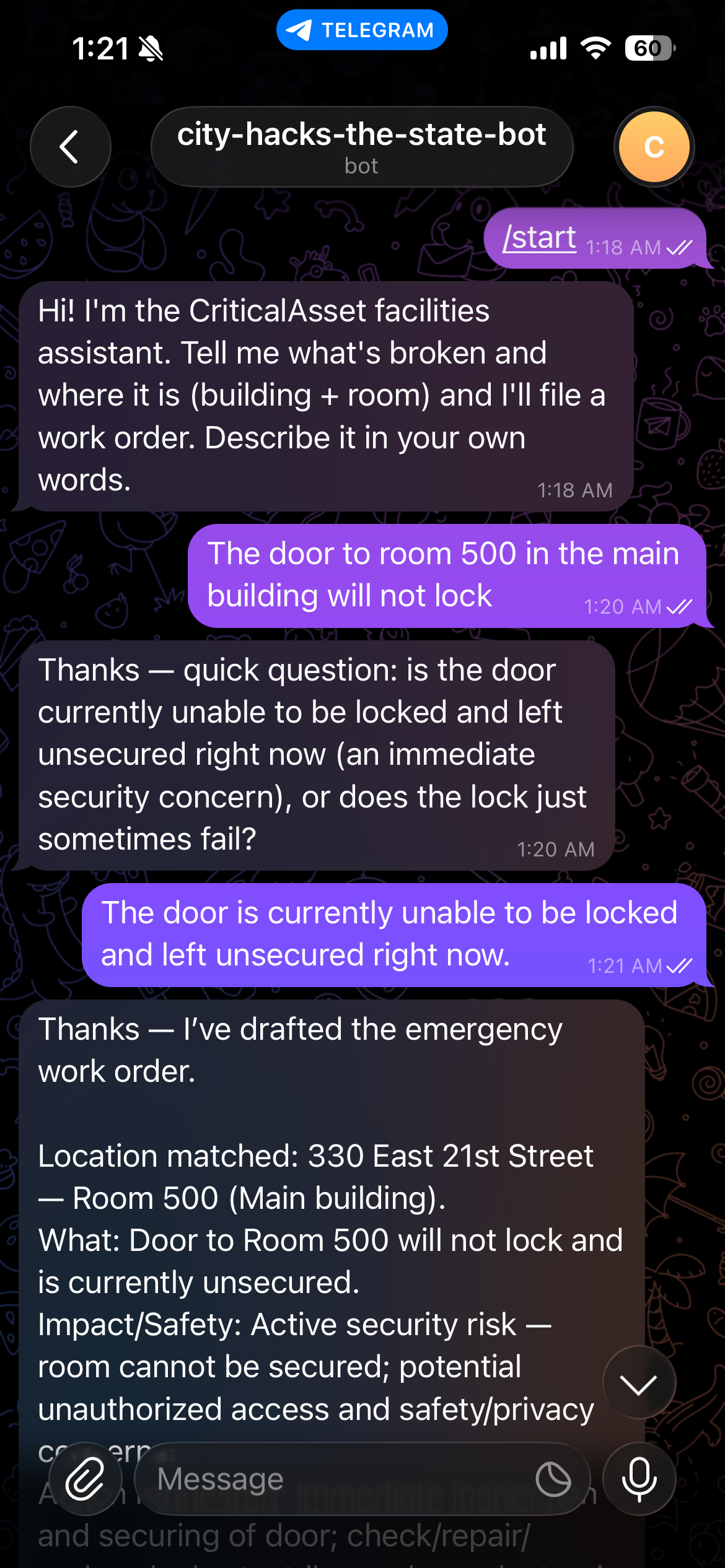
A student reports a building problem to a tool-using AI agent over Telegram, a phone call, or web chat. The agent classifies it, asks for + confirms a real location, drafts a polished report, and — only after the student confirms — files a real CriticalAsset work order (due in 30 days), appearing live on the operator dashboard.
Actors & Systems
Status Accents
Connections
Tooling
match_locationpropose_reportadd_change_requestNo jargon here. This is the simple version of what happens when a student reports a building problem — and how staff handle it. The three boxes below cover the big picture, how a student creates a request, and how the staff dashboard works.
The big picture
A student notices something broken — a heater that won't turn on, a leaking sink. Here is the whole journey, start to finish:
How to create a request (the student)
Reporting a problem takes a minute or two. Just five steps:
-
1
Reach the assistant the way you like. Message the Telegram bot, call the phone number, or use the web chat. Pick whatever is easiest for you.
-
2
Say what's wrong and where. Describe the problem and the building and room. The assistant asks a quick question or two and confirms it has the exact location right.
-
3
Review the summary. The assistant writes a clear, professional report for you and shows you a short summary of what it will file.
-
4
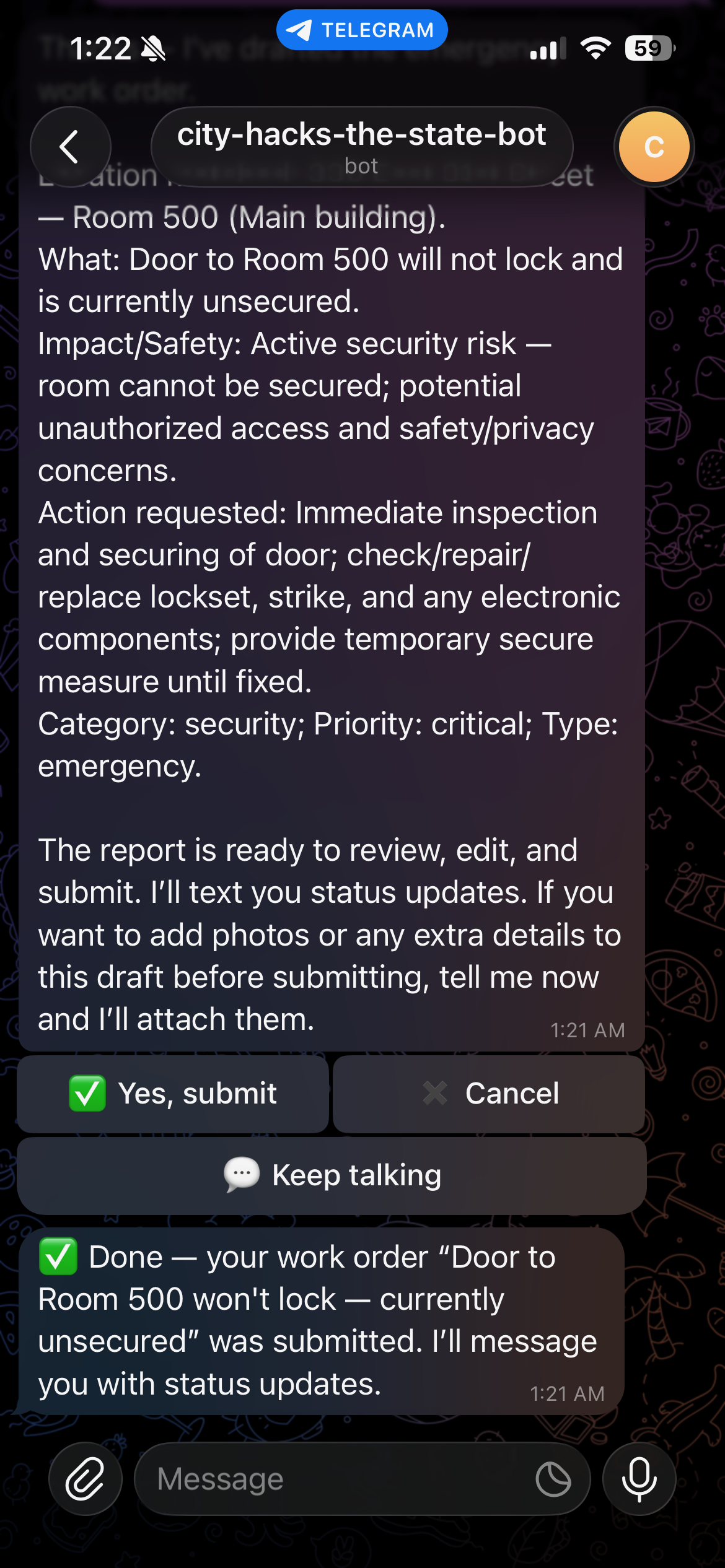
Confirm it. On Telegram, tap Yes (you'll also see Cancel and Keep talking). On a call, just say "yes." Choosing Cancel throws it away — and it double-checks before doing so.
-
5
Done — it's filed. A real work order is created (with a due date about 30 days out) and staff can see it right away. Later, you can still add a photo or a note to a request you already made.
How the dashboard works (the staff)
Facilities staff manage everything from one screen:
-
One list of every request. The Work Orders Dashboard shows them all, with simple counts at the top: Open In Progress Overdue.
-
Search and filter to find anything. Narrow the list by status, priority, or building, and click any request to see the full details — what's wrong, where, how urgent, the due date, and any photos.
-
Update the status, and the student hears about it. When staff move a request forward (for example, to In Progress or Done), the student who reported it is messaged automatically — closing the loop.
The operator's home screen — every request in one list with status counts & filters. Open the app →
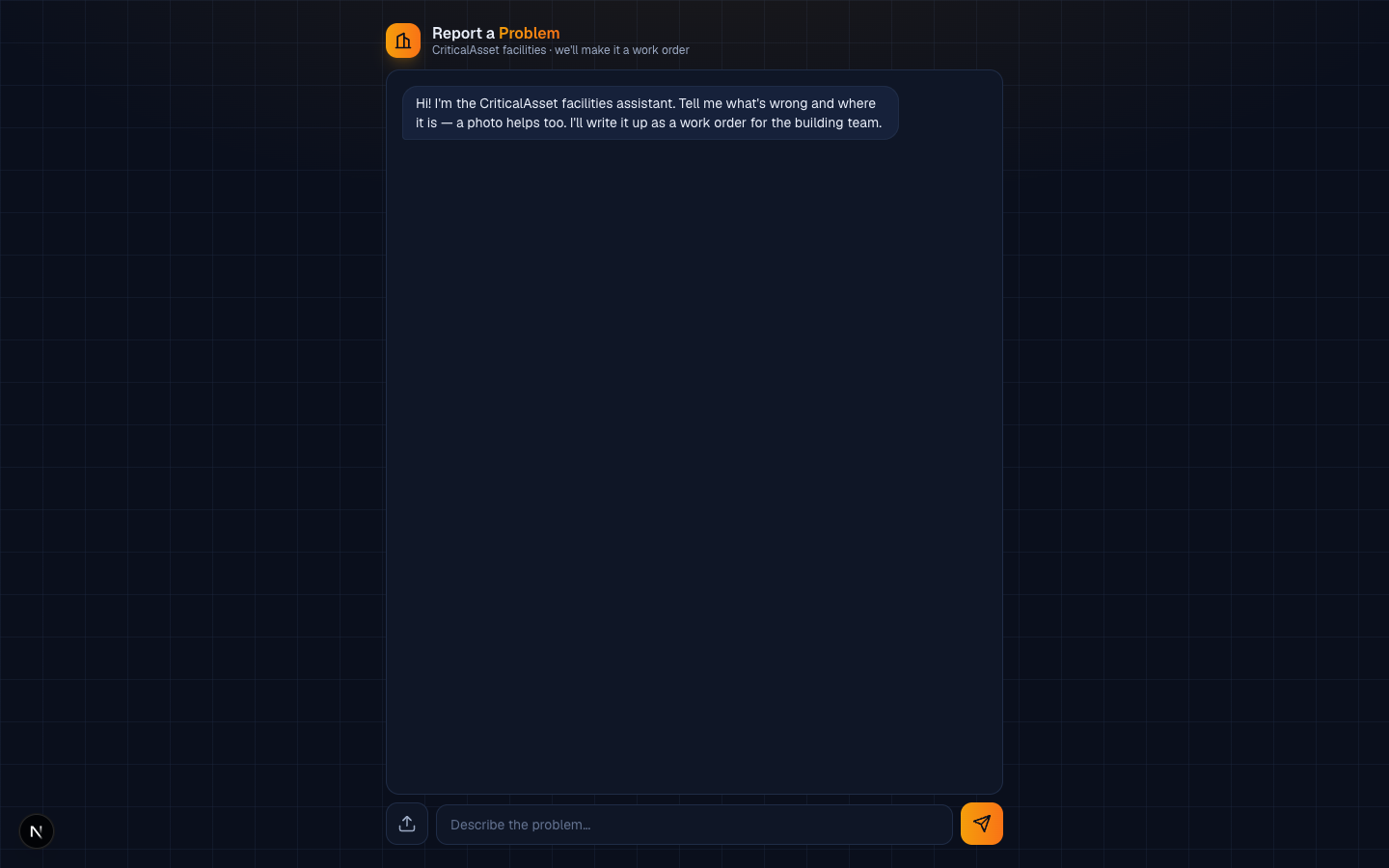
Where a student describes a problem to the AI agent and drops intake photos. Try the chat →
The architecture & agentic-workflow map you're reading right now. You are here →
Route map · every page & endpoint
Pages · user-facing
- GET / Work Orders Dashboard — the operator's list of every request, with counts & filters.
- GET /report Web intake chat — student talks to the AI agent and uploads photos.
- GET /architecture.html This architecture & workflow diagram (static).
Channel & intake APIs
- POST /api/telegram/webhook Telegram bot updates — text & inline buttons (Yes / Cancel / Keep talking) into the agent loop.
- POST /api/twilio/voice Inbound phone call — caller speaks the issue; a spoken "yes" files it.
- POST /api/twilio/sms Inbound/outbound SMS — text channel & status notifications.
- POST /api/whatsapp/webhook WhatsApp messages routed into the same agent.
- POST /api/intake/chat Web chat turn — drives the tool-using agent loop.
- POST /api/intake/submit Confirms & files the drafted report as a real work order.
- POST /api/intake/upload Uploads an intake photo (presign → store → confirm).
Work-order APIs
- GET /api/workorders List all work orders for the dashboard.
- PATCH /api/workorders/[id] Update one order (e.g. status change) — triggers a student notification.
- DELETE /api/workorders/[id] Remove an order.
- GET·POST /api/workorders/[id]/notes Read or append a context note (append-only).
- GET·POST /api/workorders/[id]/attachments Read or append a photo/file (append-only).
Text + inline buttons — ✅ Yes / ✖️ Cancel / 💬 Keep talking — routed into the agent loop.
Caller speaks the issue; a spoken "yes" files it, "cancel" → an are-you-sure prompt.
Describes the issue and drops intake photos — same agent loop.
Every channel only ever reaches our server via /api/*. The CriticalAsset token never reaches the client.
Agent tools → CriticalAsset GraphQL & Mongo
Work orders · locations · users · file uploads.
Stores what the API can't: student contact, order links, notes.
workOrderIds[]
messages[] · draft
workOrderId · note · fileIds[]
lastStatusSent · history[]
Challenge-1 app at / — new order lands as To Do
On a dashboard status change, the linked student is messaged on their own channel (Telegram bot / SMS).
/api/* routes;
the CriticalAsset API token lives only on the server and never reaches the client. Tools execute server-side, then results stream back to the agent.
changeRequestsWhen a student adds a photo and/or a context note to an existing order, it is written as a new change-request — existing report content is never deleted or edited. Operators see each addition surfaced on the dashboard as a timestamped entry.